

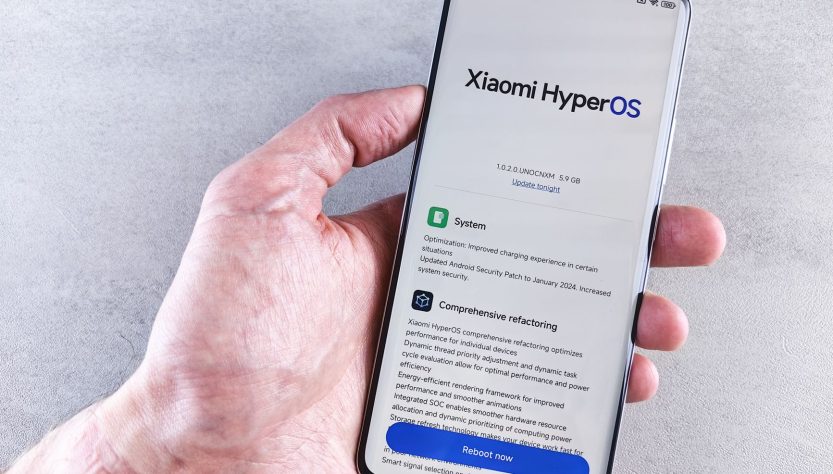
Nothing OS 5.0 is here, marking the beginning of its stable rollout. This update promises significant improvements and features for eligible devices.
Overview of Nothing OS 5.0
The recent announcement of Nothing OS 5.0 has generated excitement among smartphone users, as it promises to enhance the overall user experience significantly. This latest version introduces a range of features designed to improve performance, aesthetics, and usability for eligible devices.
One of the standout enhancements in Nothing OS 5.0 is its refined user interface, which emphasizes minimalism while still providing essential functionalities. The operating system ensures smoother navigation and quicker access to frequently used applications. Additionally, the new update includes:
- Increased Customization: Users can now personalize their home screens with more widget options and theme settings.
- Improved Battery Management: Enhanced algorithms help optimize battery usage, extending the lifespan of your device.
- Privacy Features: New tools give users greater control over permissions and data sharing.
Overall, Nothing OS 5.0 is set to redefine how users interact with their devices, making it a noteworthy upgrade for those looking to maximize their smartphone’s potential.
Eligible Devices for Update
The rollout of Nothing OS 5.0 has generated significant excitement among users, with several devices set to receive the update. As the first major update since its launch, Nothing OS 5.0 promises enhanced features and improved performance. Below is a list of eligible devices that will be able to experience the new operating system:
- Nothing Phone (1): This device is at the forefront of the update, ensuring users enjoy the latest enhancements.
- Nothing Phone (2): As the latest model, it will receive the update first, with a focus on advanced functionalities.
- Nothing Phone (3): While details are sparse, it is expected to be compatible with the new OS shortly after its release.
In addition to these devices, the company has hinted at potential support for older models in the future. Users are encouraged to check their settings for updates to ensure they are ready to embrace the innovations brought by Nothing OS 5.0.
Key Features of Nothing OS 5.0
The launch of Nothing OS 5.0 brings a suite of innovative features that enhance user experience and device performance. Here are some of the key features you can expect:
- Revamped User Interface: The updated design focuses on simplicity and efficiency, making navigation more intuitive.
- Improved Customization Options: Users can personalize their devices with new themes, fonts, and icon packs, allowing for a unique look and feel.
- Enhanced Privacy Controls: With increased security measures, Nothing OS 5.0 empowers users to manage their data more effectively, ensuring privacy remains a top priority.
- Performance Optimization: The OS includes advanced algorithms that enhance battery life and overall system performance, providing a smoother experience.
- New Widgets: Interactive widgets are now available, allowing users to access information quickly and conveniently from their home screen.
These features position Nothing OS 5.0 as a compelling upgrade, making it a worthwhile consideration for users looking to maximize their smartphone experience.
Release Schedule Explained
The release schedule for Nothing OS 5.0 has created significant anticipation among users eager to experience the latest features. The stable rollout began earlier this month, with a phased approach to ensure a smooth transition for all eligible devices.
According to company sources, the rollout will follow a structured timeline:
- Phase 1: Initial rollout for the Nothing Phone (1), starting from the first week of the month.
- Phase 2: Follow-up updates for the Nothing Phone (2), expected to begin in the second week.
- Phase 3: Broader availability, including updates for additional compatible devices, projected for the last week.
Users can expect updates to be delivered over-the-air, providing an effortless upgrade experience. As more devices receive Nothing OS 5.0, users will be able to explore the enhanced performance and features that have been the highlight of this update.
User Experience with Nothing OS
The user experience with Nothing OS 5.0 has garnered significant attention for its intuitive design and seamless functionality. Users have reported an enhanced interface that prioritizes ease of use, making navigation effortless and enjoyable. The following aspects contribute to a standout experience:
- Smooth Performance: With optimizations in place, users can expect faster app loading times and improved multitasking capabilities.
- Customizable Features: The system allows for greater personalization, enabling users to tailor their devices to better suit their preferences.
- Enhanced Privacy Controls: Privacy has been a focal point, giving users more control over their data and app permissions.
- Regular Updates: Nothing OS 5.0 ensures that devices receive timely updates, keeping software fresh and secure.
Many users have praised the thoughtful integration of features that enhance daily usability. Overall, Nothing OS 5.0 aims to provide a cohesive and rich user experience that appeals to both new and existing users alike.
Comparison with Previous Versions
When comparing Nothing OS 5.0 to its predecessors, several notable enhancements are evident. The latest version includes a more refined user interface, making navigation smoother and more intuitive. Key improvements can be seen in the following areas:
- Performance: Nothing OS 5.0 boasts faster app launches and reduced loading times, thanks to optimized background processes.
- Customization: The update offers a wider range of personalization options, allowing users to tailor their devices to fit their unique styles.
- Battery Management: Enhanced battery-saving features help extend battery life, making the device more efficient for daily use.
- Security: With updated security protocols, Nothing OS 5.0 provides users with increased protection against potential threats.
In comparison, previous versions lacked some of these advanced features, making the transition to Nothing OS 5.0 a significant upgrade for eligible devices. Users can expect a more enjoyable and secure experience with this latest iteration.
How to Update Your Device
Updating your device to Nothing OS 5.0 is a straightforward process that ensures you benefit from the latest features and enhancements. Here are the steps to follow:
- Back Up Your Data: Before initiating any update, it’s crucial to back up your important files and data to prevent any loss during the process.
- Check for Updates: Navigate to your device’s settings menu. Look for the ‘System’ option, then select ‘System Update’ to check if Nothing OS 5.0 is available for your device.
- Download the Update: If the update is available, tap on ‘Download’ and wait for the file to download completely.
- Install the Update: Once the download is finished, you will receive a prompt to install. Confirm and follow the on-screen instructions.
- Restart Your Device: After installation, your device will automatically restart to apply the changes.
By following these steps, you can easily update to Nothing OS 5.0 and enjoy its innovative features.
Photo by Andrey Matveev on Pexels