

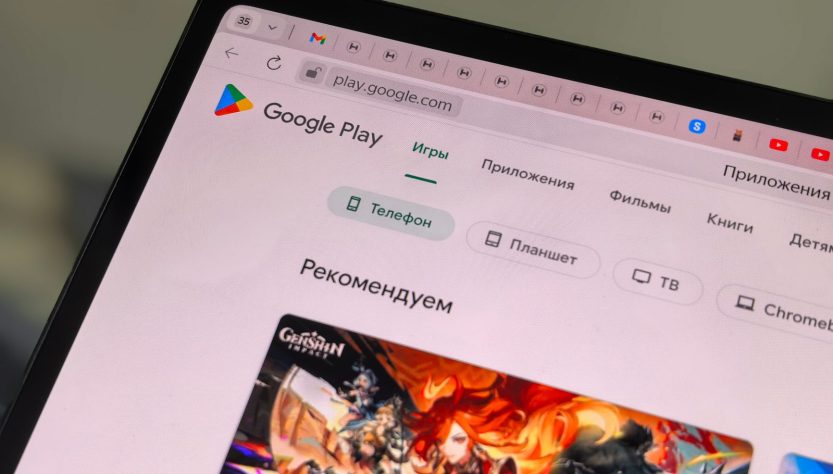
The Google Play Store update has just been released, bringing v53.6 with a host of new features and enhancements. Users can expect a smoother experience and improved functionality.
What’s New in Google Play Store v53.6?
The recent Google Play Store update to version 53.6, released on October 15, 2026, brings a host of new features aimed at enhancing user experience and app management. Here are some of the notable changes:
- Improved Search Functionality: Users can now enjoy a more intuitive search interface, making it easier to discover new apps and games.
- Personalized Recommendations: The update introduces sophisticated algorithms that provide tailored suggestions based on user preferences and download history.
- Enhanced Security Measures: With an emphasis on user safety, the new version includes advanced security features that help protect against malicious apps.
- User Interface Overhaul: The visual design has received a fresh update, offering a cleaner and more modern aesthetic that improves navigation.
- Update Notifications: Users will now receive more timely notifications about app updates, ensuring their applications are always running the latest versions.
Overall, the Google Play Store v53.6 update significantly enhances usability, making it a must-have for Android users. These features not only improve app discovery but also provide a more secure and personalized experience.
User Experience Improvements
The latest Google Play Store update, version 53.6, brings a range of user experience improvements designed to enhance navigation and accessibility. Users will notice a more streamlined interface that makes it easier to discover new apps and games.
One significant change is the optimized search functionality. The search bar now includes predictive suggestions that help users find relevant content faster, reducing the time spent scrolling through options. Additionally, the layout has been refined to showcase top-rated applications more prominently, allowing users to make informed choices based on community feedback.
Another improvement is the enhanced review system. Users can now filter reviews by recency or rating, making it easier to find valuable insights about an app’s performance. This feature empowers consumers to make better decisions before downloading.
Moreover, the update introduces a new section dedicated to personalized recommendations. This section utilizes machine learning algorithms to suggest apps based on previous downloads and interactions, tailoring the experience to individual preferences.
Overall, these enhancements in the Google Play Store update aim to create a more intuitive and satisfying user journey, ensuring that finding and installing apps is as seamless as possible.
New Features to Explore
The latest Google Play Store update, version 53.6, brings an array of exciting features designed to enhance user engagement and streamline app discovery. Here are some of the standout additions to explore:
- Enhanced Search Filters: Users can now refine their app searches with new filters that allow for sorting by categories such as “Top Free,” “Top Paid,” and “New Releases.” This makes finding the perfect app even easier.
- Personalized Recommendations: The update introduces a smarter algorithm that analyzes user preferences and usage patterns, providing personalized app suggestions tailored to individual interests.
- Revamped App Ratings: The Google Play Store update features a reimagined ratings system, encouraging users to leave detailed feedback. This aims to provide more transparency regarding app quality and performance.
- Interactive App Previews: Developers can now upload interactive previews, allowing users to test apps before downloading. This feature enhances decision-making and user satisfaction.
- Improved App Update Notifications: Users will receive more timely and informative notifications regarding available updates, ensuring they never miss out on new features or important fixes.
With these new features, the Google Play Store update promises to significantly enrich the overall user experience.
How to Update Your Google Play Store
Updating your Google Play Store is essential to ensure that you have access to the latest features and improvements. If you are unsure how to perform the update, follow these simple steps to upgrade to the latest version, v53.6.
First, open the Google Play Store app on your Android device. Then, tap on the profile icon located in the top right corner of the screen. From the drop-down menu, select Settings.
Next, navigate to the About section. Here, you can check for updates by tapping on Play Store version. If an update is available, you will see an option to download and install it. Ensure that you are connected to a stable Wi-Fi network to prevent data charges.
Once the update is complete, you can return to the Play Store to explore the new features and enhancements brought by the latest version. If you experience any issues during the update process, consider clearing the cache of the Play Store app by going to Settings, then Apps, and selecting Google Play Store.
By following these steps, you can easily stay up to date with the Google Play Store update and enjoy all the benefits that come with it.
Common Issues and Fixes
The recent Google Play Store update, v53.6, has brought several enhancements, but users have also reported some common issues. Here are the main problems and their potential fixes:
- App Crashes: Some users have experienced unexpected crashes when opening the Play Store. To resolve this, try clearing the cache for the Google Play Store app through the device settings.
- Download Errors: Users may encounter errors during app downloads or updates. It is recommended to check your internet connection and ensure that there is sufficient storage available on your device.
- Slow Performance: Reports of sluggish performance have surfaced. If the app is running slow, consider restarting your device or reinstalling the Google Play Store update to improve speed.
- Missing Apps: Some users have noted that certain apps are not appearing in search results. Clear the app’s cache and restart the Play Store to refresh the listings.
- Notification Issues: If update notifications are not coming through, check your notification settings and ensure that they are enabled for the Google Play Store.
By following these steps, users can enhance their experience with the Google Play Store update and address common concerns effectively.
Future Updates to Look Forward To
As Google continues to enhance its services, users can look forward to several exciting updates in future versions of the Google Play Store. These improvements aim to provide a more seamless and user-friendly experience while broadening the app ecosystem.
One anticipated feature is an enhanced recommendation engine that utilizes advanced machine learning algorithms. This will allow the Google Play Store to offer more personalized app suggestions based on user behavior and preferences.
Additionally, Google is expected to improve the security features within the Play Store. With increasing concerns over data privacy, the upcoming updates may include enhanced app verification processes and stricter guidelines for developers to ensure that users download safe and secure applications.
Another area of focus is the integration of social features that allow users to connect with friends and share app recommendations easily. This could create a more engaging platform and help users discover new content more effectively.
Lastly, we may see improvements in the app update process, making it faster and more efficient. Users can expect notifications that are more informative and provide details on what changes to expect with each new version.
Stay tuned for the next Google Play Store update to see how these features evolve.
Photo by Andrey Matveev on Pexels